Royalty-Free Illustrator Vector Swatch Patterns
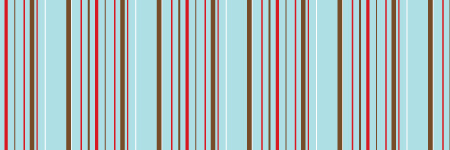
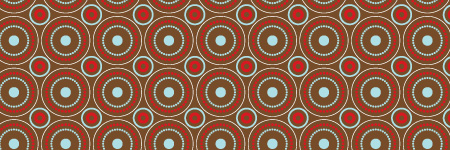
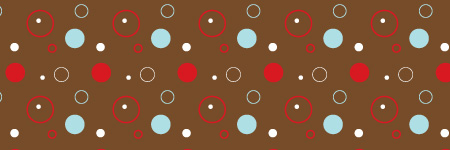
This is a free set of eight Adobe Illustrator Swatch Patterns. These are seamless vector patterns that can be used to fill objects such as shapes, letters and words. Rather than using a solid color for a typeface, fill it with a swatch pattern. Drag these from the swatches panel to the canvas; change the colors. Drag them back to the swatches panel to create new swatches using different colors.
These are compatible with Illustrator CS and above.
Watch the 30 second video about using the swatches in Illustrator.
Download the Illustrator Swatch Patterns


Download the Illustrator Swatch Patterns


13/10/2008 at 9:58 am Permalink
Hi Jason! Thanks so much for these pattern swatches! They are awesome, and so are you! Have a great day!
13/10/2008 at 10:07 am Permalink
Thanks. Happy to share.
13/10/2008 at 10:35 am Permalink
Thank you Jason – these are fantastic! :) – Stacy
13/10/2008 at 10:39 am Permalink
Beautiful! Thank you so much for your generosity. :)
13/10/2008 at 10:41 am Permalink
You are a supah-star! These are awesome :-) Thanks for sharing your uber-talent!
13/10/2008 at 10:47 am Permalink
Thanks everyone. Quite welcome!
13/10/2008 at 12:39 pm Permalink
Thanks for the lesson Jason. Much appreciation bro.
14/10/2008 at 9:34 am Permalink
Hi – thanks so much for publishing these, they’re lovely! I’m having trouble opening them however; I’m using CS2, and when I open the .ai file, there’s no patterns in the doc – just a message saying ‘this is an Adobe Illustrator file that was saved without PDF content….It should be re-saved from Illustrator with the ‘create pdf compatible file’ option turned on’.
Is it possible to save it in an older version or a PDF compatible version please? Thanks!
14/10/2008 at 9:58 am Permalink
Jean,
Probably a stupid question, but have you tried opening the swatch panel by going to “window” and making sure “Swatches” is checked in the main menu?
14/10/2008 at 10:30 am Permalink
Hey Jason, thanks for your reply…yep, my swatch panel is open, and nothing appears in it when I open your image.
14/10/2008 at 10:40 am Permalink
Hmm. I can’t save these to an older version without having the older version to save from. The swatches save dialog doesn’t allow saving to older versions.
One thing you can try, if you haven’t already, open a new Illustrator document. Open the swatches panel. From the swatches panel menu (located at the top right corner of the panel) choose “Open Swatch Library” then choose “Other Library” then navigate to the swatch file. If that doesn’t work I’ll upload an Illustrator document with the patterns on the artboard, and you can drag them from the art board one-by-one to create the swatches.
Let me know.
14/10/2008 at 10:50 am Permalink
Jean,
I went ahead and uploaded an extra file into the zip file that includes an Illustrator 8 file with the patterns on the artboard. You can drag those into the swatches panel to create the repeating pattern swatches. I hope this helps you and anyone else with this issue.
Thanks for the feedback
14/10/2008 at 10:53 am Permalink
Hi again Jason…thanks for taking the time with this! When I download that zip, it contains an .ai file rather than a swatch file. Opening it as a swatch library does open a new swatch window (called DesignFruit Swatch Patterns), but it’s empty. If you can upload something either as an .ase or an .ai or .eps with the patterns on the artboard, that would be fantastic. Thanks again!
14/10/2008 at 10:54 am Permalink
Looks like our messages crossed. Enjoy.
14/10/2008 at 2:04 pm Permalink
Works great this time Jason, thanks again!
14/10/2008 at 11:16 pm Permalink
This is so gorgeous! And you are so generous :D
Thank you so much :)
17/10/2008 at 1:54 am Permalink
Thanks again. I had fun creating the patterns.
03/11/2008 at 4:48 pm Permalink
Excellent collection, very nice work. Looking forward to seeing some of your new work
*bookmarked
04/11/2008 at 8:28 pm Permalink
Nice group. Thanks for putting them up. Nice color choices too!
23/11/2008 at 4:26 pm Permalink
hi Jason,
It says royalty-free.. but I’m confused..can you use these in anyway (commercially) or do you need to obtain a license?
23/11/2008 at 5:10 pm Permalink
This particular set of patterns is released royalty free. So, yes you can use these commercially. No license is needed. Just curious though. What do you plan on using them for?
25/11/2008 at 10:25 am Permalink
thank for Download the Illustrato
30/11/2008 at 10:38 am Permalink
Hi Jason, this might be SO outdated but since you closed comments for it, I was “forced” to find another outlet to ask you this question : How do I download your gorgeous Japanese Foliage (TM) brushes? Did I miss out a link?
So anyways, hoped you had a good thanksgiving and have a good weekend (or wht’s left of it)!
Thanks.
30/11/2008 at 6:32 pm Permalink
Tsu, no problem.
Go here: http://designfruit.com/jasongaylor/blog/2007/01/17/japanese-foliage/
Scroll down to the “Buy Photoshop Brushes” button.
02/12/2008 at 8:42 pm Permalink
d
02/12/2008 at 8:42 pm Permalink
r
05/02/2009 at 9:09 pm Permalink
awesome!
14/04/2009 at 5:23 am Permalink
Thank you! Very tasteful! :)
19/04/2009 at 11:12 pm Permalink
Very nice wonderfull
thank you
15/06/2009 at 3:47 am Permalink
COOL….. thank you sooooo much Jason.Great artwork
22/10/2009 at 9:15 am Permalink
Thanks… Great job!
14/12/2009 at 5:17 pm Permalink
Beautiful. Thank you for this.
30/12/2009 at 4:27 am Permalink
Thanks. Great job!
08/02/2010 at 2:17 pm Permalink
Nice work! Thanx!
28/06/2010 at 9:09 pm Permalink
I am sorry I don’t know much about this stuff but I want to ask if this swatch pattern is free for commercial use?
30/06/2010 at 3:37 pm Permalink
Summer, yes.
10/09/2010 at 11:30 am Permalink
Exactly what I needed. Yeah!
12/09/2010 at 11:35 am Permalink
Thanks soooo much, really great work!
14/12/2010 at 12:16 pm Permalink
Nice subtle swatches for Illustrator – beautiful designs. Love the sky blue, browns etc – great
09/04/2011 at 12:15 pm Permalink
endnu engang et flot mønster, kan klart bruges.
03/05/2011 at 5:55 am Permalink
Lovely brushes, thanks for the sample :)
dede